Describe a moment. Get the timestamp.
Type what happens in a scene. Scenesnipe finds it in your footage and shows the frame where the action hits, so you can cut on the beat.
Example search
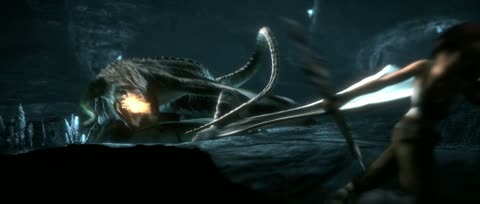
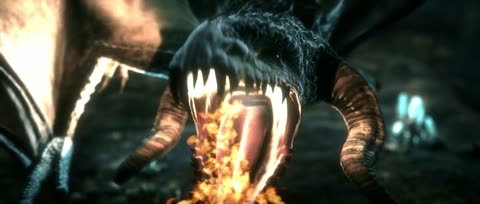
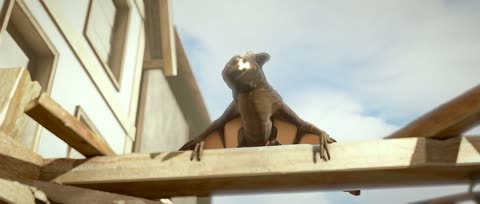
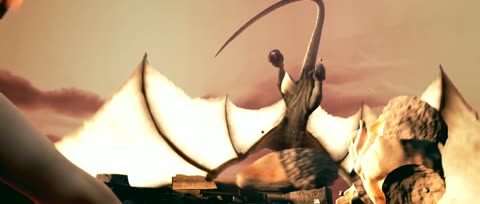

Real results from our test run on Sintel (Blender Foundation, 2010), in rank order. “Labeled moment” marks the result that a person chose as correct.
How it works
- 1
Import your footage
Add the episodes, films, or scene packs that you already have. Scenesnipe splits each video into shots.
- 2
Describe the moment
Type what happens, such as “sword clash” or “door slams shut”. An action word works best.
- 3
Copy the timestamp
Each result shows the frame where the action happens. Copy its timecode into your editing software.
Searches that editors make
- Anime
- sword clash in the rain
- eyes open close-up
- punch to the face
- Film
- door slams shut
- car crashes through a wall
- glass shatters
- Sports
- ball hits the back of the net
- dunk
- player falls after a tackle
These are example searches. The images on this page come only from open films that allow reuse.
The edit stays yours
Scenesnipe does not make the edit. It finds clips in footage that you already have. You keep every creative choice.
- The song
- The scenes that you choose
- The order of the cuts
- The effects